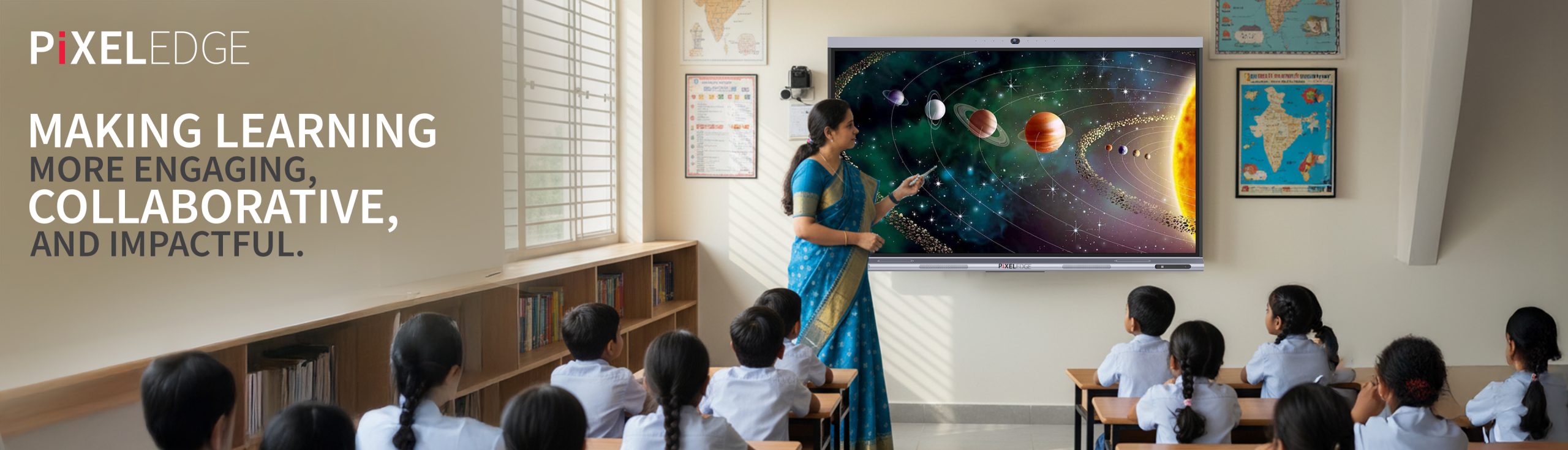
In this tech-savvy world, where interactivity has become part of our lives, educational institutes also need interactive tools for education, as traditional teaching tools are failing to keep up with the student engagement needs. Modern solutions like an Interactive smart board can bridge this gap efficiently.
Present-day students are more visually driven and connected than before. However, many schools still rely on chalkboards or basic projectors. This makes it difficult to capture attention, simplify complex concepts, and create interactive learning environments.
In this blog, we will explore what an interactive smart board is, its uses in education, standout features of the PixelEdge board, and why it has become a vital tool for schools, colleges, universities, and coaching centers.
An interactive smart board is a digital teaching tool that combines a touchscreen display with interactive technology. Unlike traditional whiteboards, it allows teachers and students to interact directly with the content using touch, a stylus, or even gestures.
It transforms classrooms into collaborative spaces where lessons come alive. Students can annotate documents, solve math problems directly on the screen, or participate in quizzes that update instantly.
For teachers, it simplifies lesson delivery, reduces dependency on markers or chalk, and supports multimedia content like videos, animations, and live annotations. While the tool is popular in industries, its most impactful application lies in education.
From primary schools to advanced coaching centers, interactive whiteboards for education are helping instructors keep students engaged while promoting active learning. They also support hybrid learning by integrating video conferencing and screen-sharing features.
PixelEdge Interactive smart board stands out from the crowd because it is designed for modern classrooms and institutes. Let’s look at its features that make it one of the best interactive smart boards for education:
PixelEdge has a high memory (8 GB RAM) and storage (128 GB ROM) that let teachers run multiple applications, store educational material, and deliver uninterrupted lessons. No lags, no delays, just smooth teaching sessions.
Capture important notes, diagrams, or any other details with 4-finger screenshots. This helps students and teachers save valuable time.
Switching between apps is quick with the floating navigator. Teachers can open lessons, videos, or annotation tools without breaking the flow of teaching.
PixelEdge advanced whiteboard lets you split the display into 6 screens simultaneously. This makes it ideal for group activities, project discussions, or comparing solutions in real time.
The ultra-clear display is packed with a 1200:1 contrast ratio, which makes every chart, video, or diagram sharp and vibrant. Even students at the back of large classrooms can view details clearly.
Collaboration reaches a new level with 40 simultaneous touchpoints. Multiple students can interact on the board at once, making it ideal for group exercises and brainstorming.
The included pen mimics natural handwriting, allowing teachers to annotate lessons with ease. Students can also use it for problem-solving and interactive exercises.
A single USB Type-C cable handles audio, video, touch, and charging. This makes lesson setup fast and clutter-free.
No need for an external computer. The built-in operating system provides direct access to apps, browsers, and productivity tools, making the board independent and flexible.
For higher computing needs, the Open Pluggable Specification slot allows PC integration. Institutes can use advanced teaching software, design tools, or run heavy files seamlessly.
Virtual learning and video conferencing become more effective with the high-resolution 8MP camera. It ensures clear, professional-quality visuals for remote classes.
Teachers and students can project content wirelessly from laptops, smartphones, or tablets. This promotes inclusivity, allowing learners to share ideas quickly.
The Over-the-Air always stays updated with the latest software features, without manual installations or downtime. This makes it a reliable classroom tool for long-term use.
Education today requires tools that go beyond chalk and talk. An interactive whiteboard is no longer a luxury; it is a necessity for modern institutions. With its rich features, the PixelEdge interactive smart board offers an unmatched combination of clarity, collaboration, and convenience.
It empowers teachers to deliver impactful lessons and helps students learn in ways that feel natural and engaging. For schools, colleges, universities, and coaching centers, investing in a smartboard for teaching is an investment in the future of learning.
If you are exploring interactive smartboards for education and are still unsure about the right choice, we can help guide you in making the best decision for your institution.
